Sapphire 25.4 is here, delivering smarter automation, sharper accuracy and better user control across both Structure and Management. This release focuses on intelligent design improvements, streamlined workflows and greater visibility — helping you design and manage projects with more confidence than ever.
What’s New in Structure
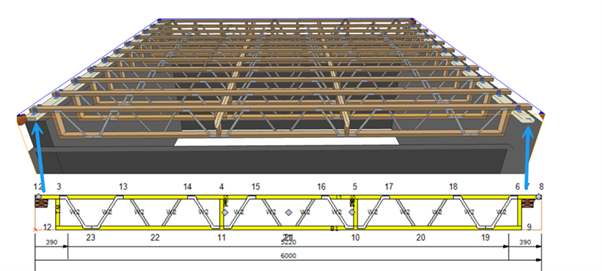
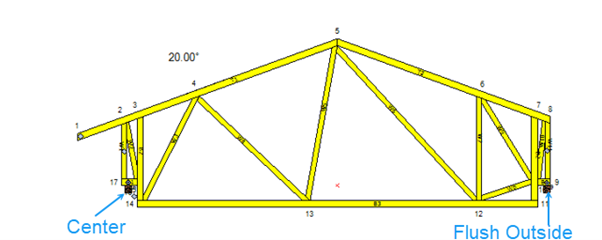
1. Truss Accuracy Just Got Smarter – Bearings Now Align from the Sill Plate
Precision starts at the base. Bearings now align directly from the sill plate (not the concrete below), accurately reflecting sill plate width and supporting gaps up to 300 mm. No more missed gaps or off measurements — just smoother modelling, greater control and more reliable results.
2. Bevel Cuts Just Got Smarter – Because Smooth Design is Smart Design
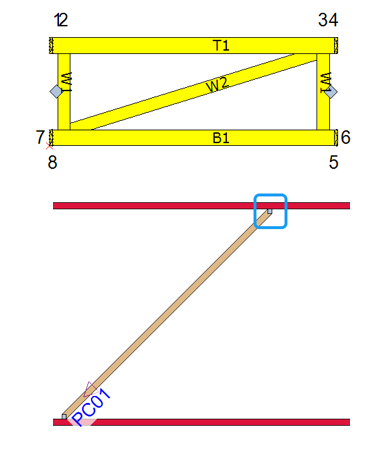
Flat trusses and ceiling joists now carry bevel data straight through to the design engine, eliminating conflicts and keeping your designs clean, accurate and ready to run.
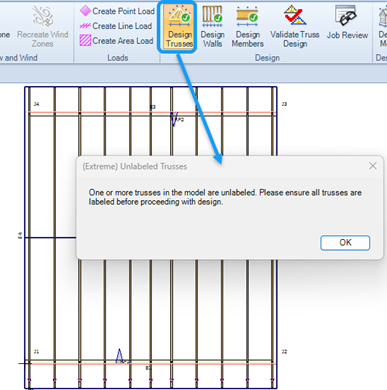
3. No Label, No Go – Every Truss Counts
Stronger warnings and mandatory labelling mean nothing slips through. Every truss must be labelled before Production, keeping your projects consistent and error-free.
4. Build Smarter in New Zealand with Enhanced Trimmable Posi-Struts
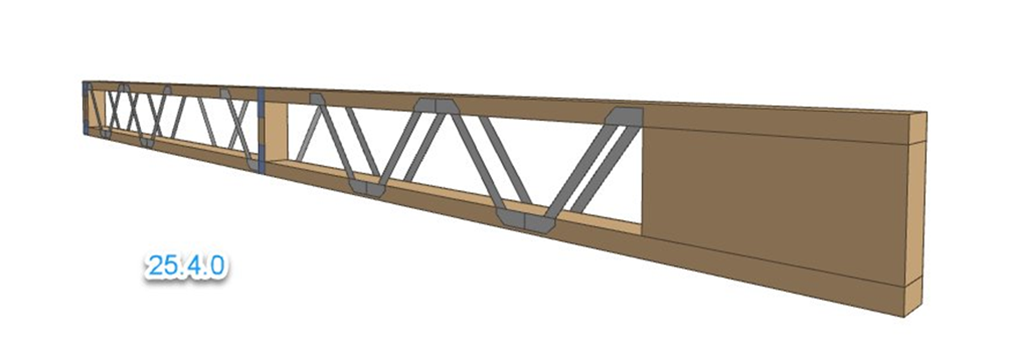
Sapphire floors now feature enhanced trimmable Posi-Strut end designs tailored for the New Zealand market, ensuring full compliance with local engineering practice. This update delivers more accurate material reporting, reduces costly errors and streamlines estimates. With improved flexibility, builders can better accommodate timber tolerances and on-site adjustments, making construction more efficient and reliable across NZ projects.
5. 3-Ply Lintel Support for 140 mm Frames in Sapphire
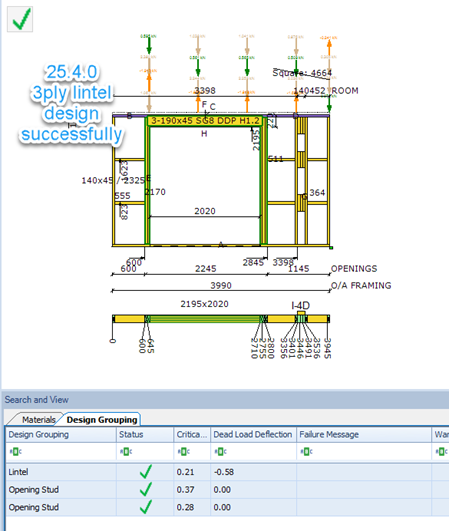
As building standards evolve, Sapphire is evolving too. With the growing adoption of 140 mm frames driven by thermal insulation requirements, we are adding full support for 3-ply lintels (3 × 45 mm). This update ensures accurate bearing alignment and visual representation so designs remain structurally sound and compliant. Builders can now deliver efficient, confident solutions for wider frames.
What’s New in Management
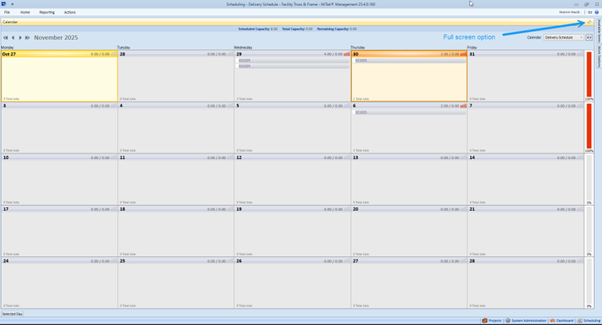
1. Full-Screen Scheduling – More Space, More Control
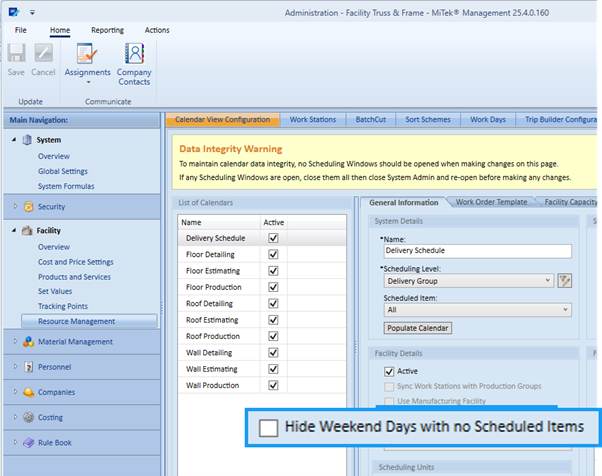
Calendar management just got smarter. Enter Full Screen Mode to hide panels and ribbons for a clean, distraction-free workspace. Restore your layout instantly with one click. Enjoy word-wrapped notes for easy reading, auto-hiding scroll bars for a tidy view and flexible options to toggle weekends on or off. More space, more control, more productivity.
2. No More Manual Steps – Import Patterns Linked to Structure Category
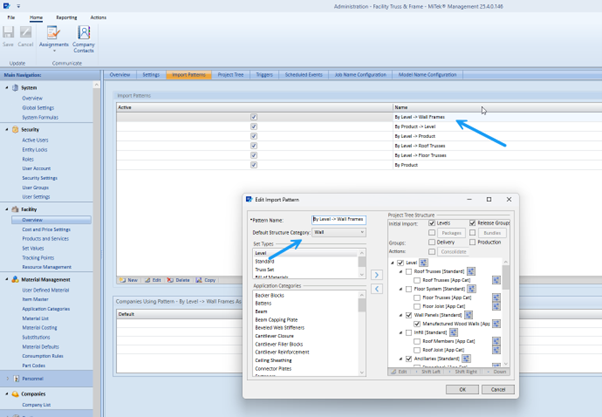
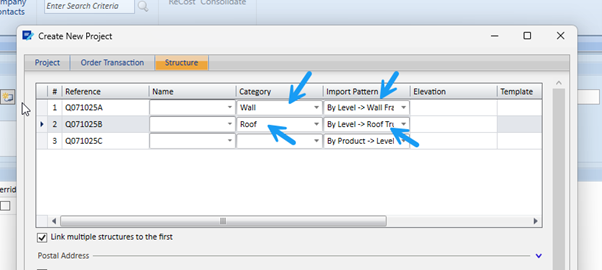
Save time and reduce errors with automatic defaults for Structure Import Patterns. Admins can now map patterns directly to Structure categories, ensuring consistent and efficient project setup every time.
3. Smarter Notes – Spell Check Built In
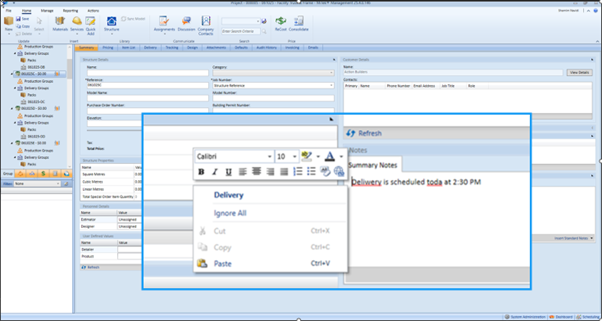
No more typos. Spell check is now built into every Note field. Just type, right-click for corrections and enjoy smoother, error-free communication — no setup needed.
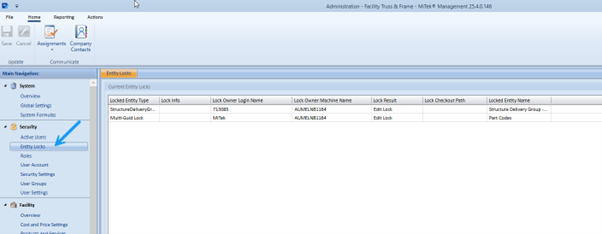
4. Full Visibility for Locked Records – Right in Security
See what’s locked and who locked it. A new Security window now shows locked records along with usernames, timestamps and record IDs, making it faster to resolve access issues and maintain smooth collaboration.